Going Further
What to Do Next
If you have completed all the tutorials in this section and are looking for new content, try tackling the challenges in the CTF Training page, or try replaying past professional CTFs featuring RAMN (CTF Write-ups).
Using External Adapters
Although you can use ECU A as a USB to CAN adapter, you may prefer to use an external CAN adapter and an analysis tools suite that goes with it. For example, you could use BUSMASTER with a PCAN-USB. These tools typically allow you to load a database file (“DBC file”), which specifies what each bit in CAN frames represents.
DBC File for RAMN
The “DBC” and “DBF” files for RAMN are available in the misc folder. You can use these files to facilitate the analysis of RAMN’s default signals.
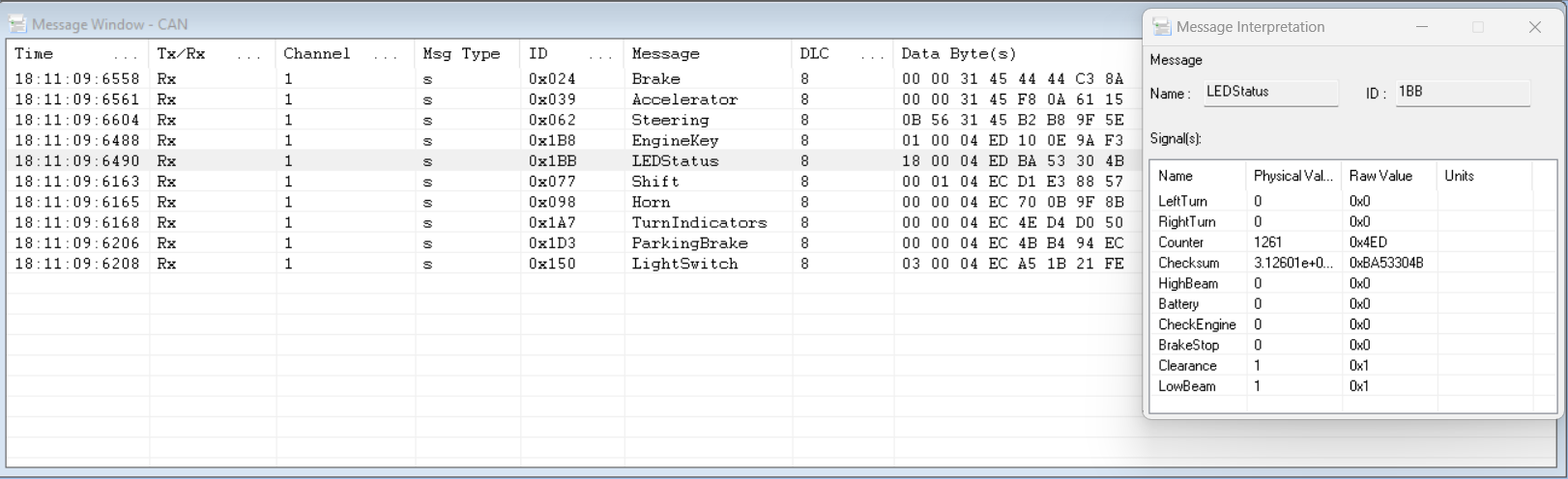
For example, with BUSMASTER and a compatible external adapter, you can select “Database -> Associate” and load the .DBF file.

This will allow you to replace the CAN identifiers and payloads with mnemonics, as shown below.

This will allow you to record and display graphs of values observed on the CAN bus.
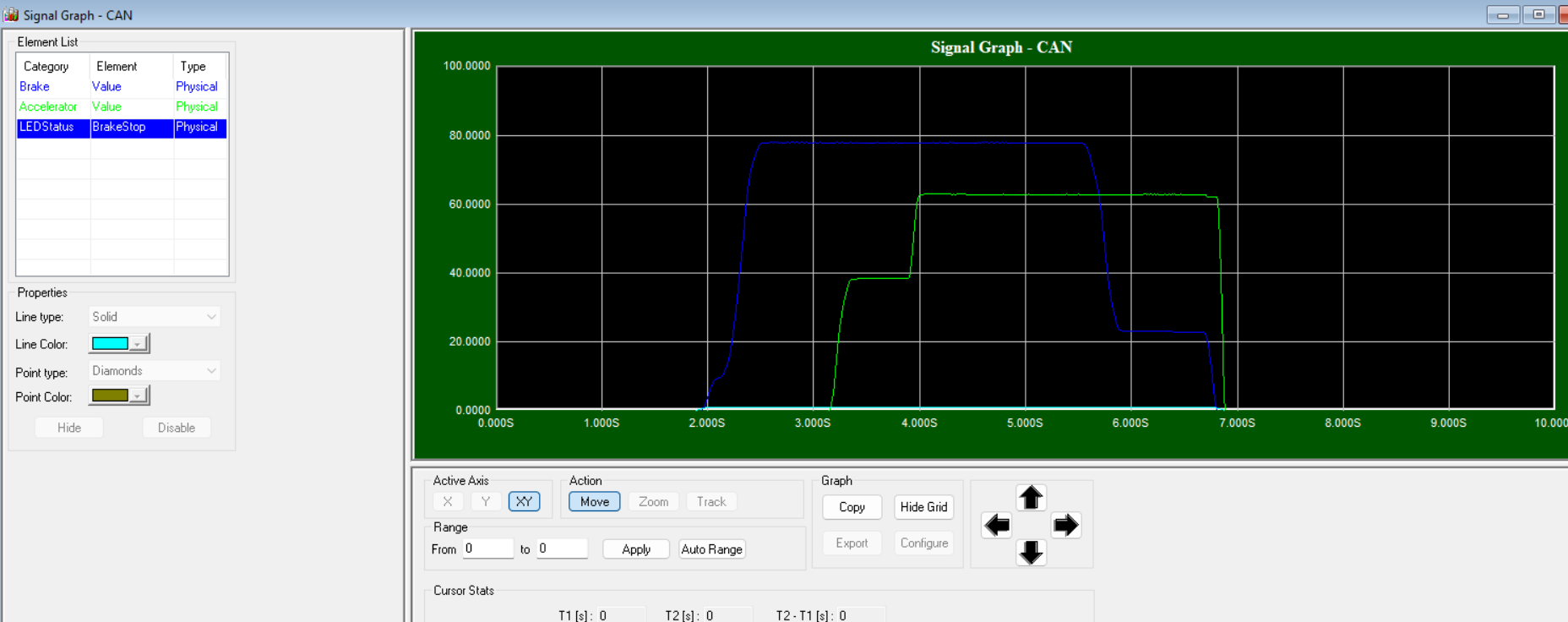
RAMN’s GitHub repository features an example of PID control implemented on RAMN ECUs in closed-loop with a driving simulator (see CARLA).
Other CAN Tools
Other CAN software tools can be used to interact with RAMN’s ECUs.
For example, Caring Caribou offers various features to interact with UDS and XCP. Follow the instructions here to install it:
$ git clone https://github.com/CaringCaribou/caringcaribou
$ cd caringcaribou
$ python3 setup.py install
Then, create a .canrc file in your home directory (you can use $ nano ~/.canrc) with the following content:
[default]
interface = socketcan
channel = can0
If you need to execute as root, you should create the .canrc file in /root/.canrc instead.
You should then be able to use caring caribou’s modules.
UDS
You can use the discovery module to find out the CAN IDs used by RAMN’s ECUs.
$ caringcaribou uds discovery
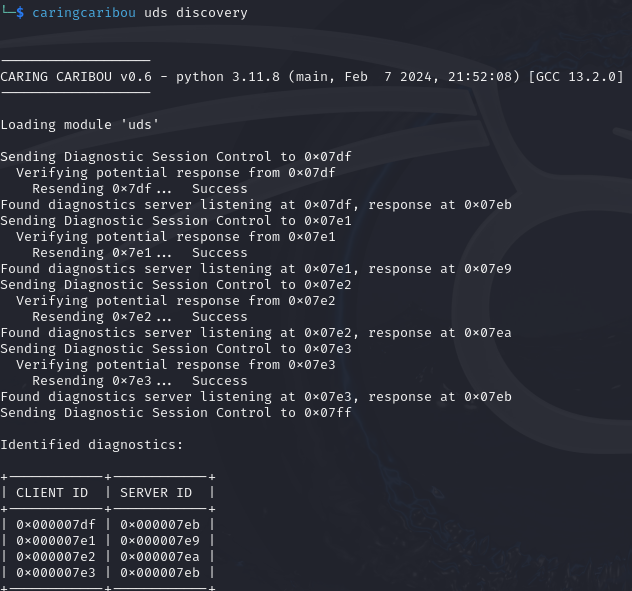
You can find out which services are supported by ECU B using the “services” module:
$ caringcaribou uds services 0x7e1 0x7e9
In a different window, you can use $ isotpdump -s 7e1 -d 7e9 -c can0 -u to observe traffic.
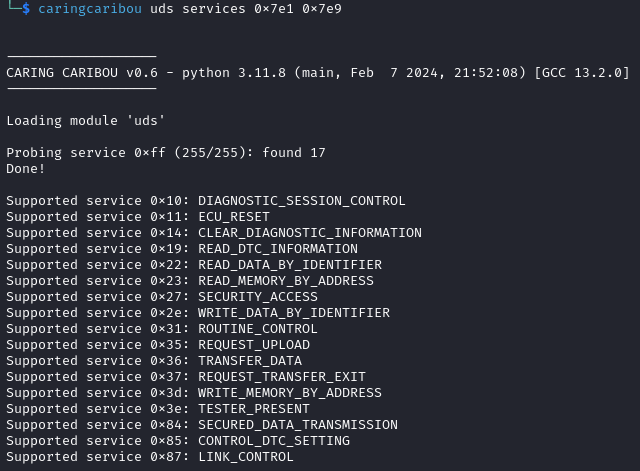
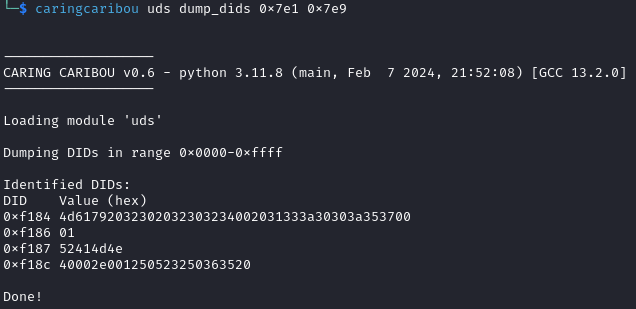
You can read all possible DIDs of ECU B with:
$ caringcaribou uds dump_dids 0x7e1 0x7e9
If you get errors, try executing $ sudo ifconfig can0 txqueuelen 10000.
XCP
Use the help page to read how to use the XCP module of Caring Caribou:
$ caringcaribou xcp --help
You can scan for XCP pairs using the discovery module (the autoblacklist option listens for traffic first to avoid false positives):
$ caringcaribou xcp discovery -autoblacklist 10
You can ask the ECUs their basic information, e.g. for ECU B:
$ caringcaribou xcp info 0x552 0x553
In a different window, use $ candump can0,552:7fe to observe XCP traffic.
You can try dumping the first 256 bytes of the firmware of ECU B with XCP using the following command:
$ caringcaribou xcp dump 0x552 0x553 0x08000000 0x100 -f dump.bin
Scripting CAN
For CTFs and other advanced CAN activities, you can use python-can to automate CAN communications.
python-can can be used to automate the transmission of frames directly at the CAN layer. You can find a list of examples here. The example send_one.py will show you how to simply send a CAN message, receive_all.py will show you how to receive CAN messages, and asyncio_demo.py will show you how to link reception and transmission of CAN messages.
Similarly, can-isotp can be used to automate the transmission of ISO-TP messages. Refer to its documentation for examples.
Finally, udsoncan can be used for UDS exchanges.